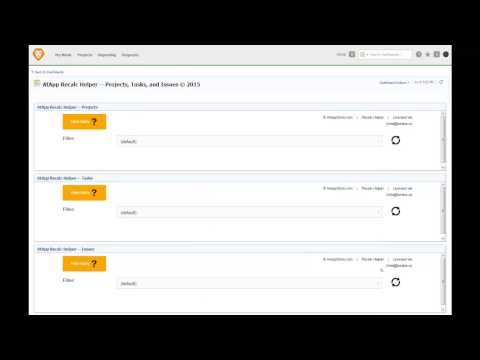
Recalc Helper

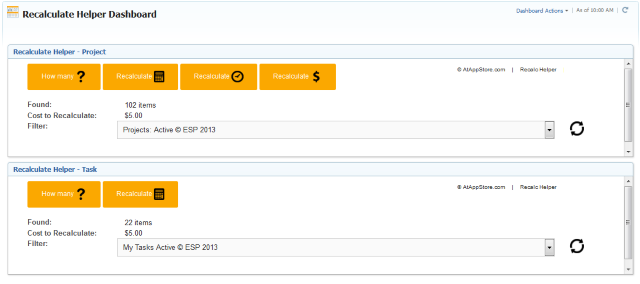
Our Recalc Helper solution provides you a quick way to easily recalculate the custom form calculated expressions, project timelines, or project finances for all items matching a selected filter, right from within Workfront.
HOWAnnual License, Image, On Demand, Video
WHATActuals, Configuration, Financials, Reporting
WHENSince 2011
WHERECustom Data, Other
WHOExecutive, Planner, SysAdmin
WHYAutomation, Data Processing, Simplification

  1. Solution
    Product Intro Slide

    Recalc Helper

    Refresh Key Data

    Our Recalc Helper solution provides you a quick way to easily recalculate the custom form calculated expressions, project timelines, or project finances for all items matching a selected filter, right from within Workfront.

    previous arrowprevious arrow
    next arrownext arrow
    PlayPause


    Recalc Helper

     
    • Use the slider above to learn about this Solution's functionality
    • Review the More Details section below to understand how to use it
    • Consider the Pricing section and its value to you (noting payment comes later)
    • When you are ready to proceed, click the button above
     

    MORE DETAILS…
    Top

    Our Recalc Helper solution provides you a quick way to easily recalculate the custom form calculated expressions, project timelines, or project finances for all items matching a selected filter, right from within Workfront.

    To use it…

    • Follow the short video instructions to Login to http://www.atappstore.com and set up a connection to yourdomain.workfront.com (NOTE: be sure to TEST and ADD your Workfront User ID when you set up that connection in order to use the Recalc Helper)
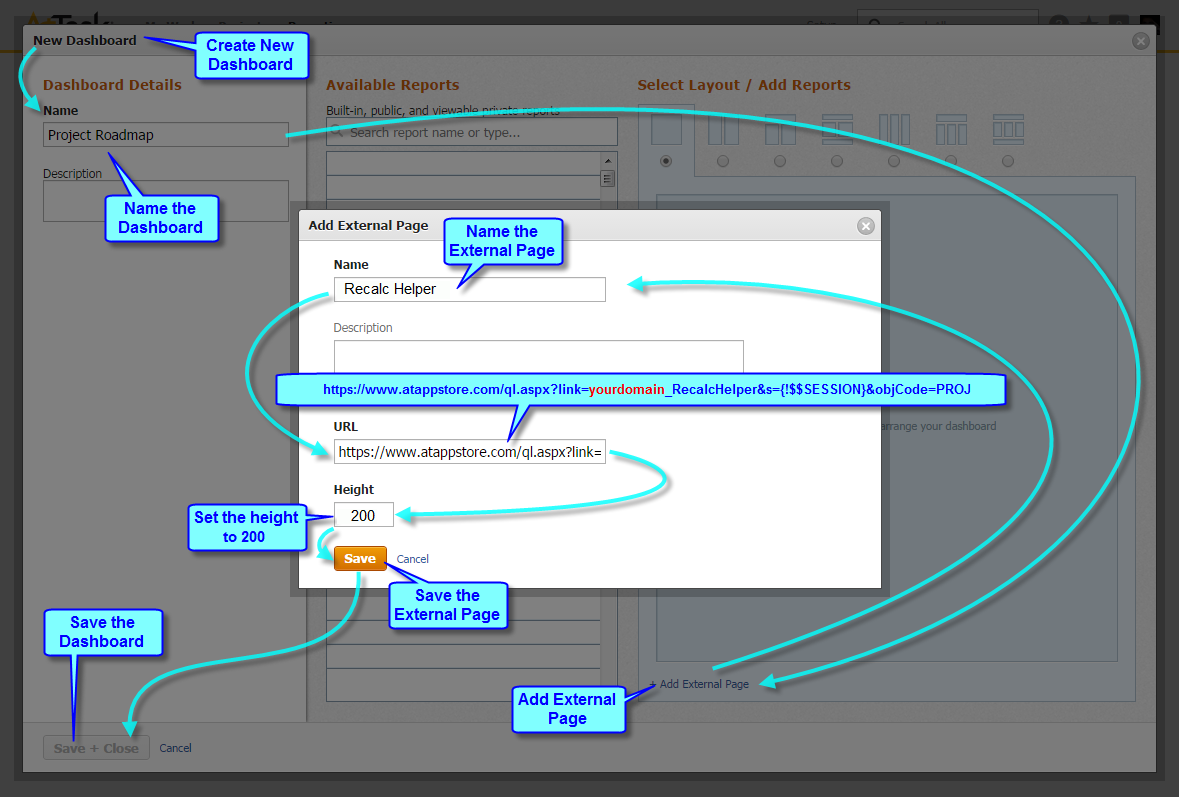
    • Follow the blue arrows on the diagram at the top of this page to create one or more Recalc Helper sections on a new (or existing) dashboard, using any of the URL links listed below
    • Share the dashboard with those Workfront Users who need it, and show them how they can create and use Workfront Filters to find and recalculate their items of interest

    Recalculate Helper supports many types of Workfront items. The web address (URL) that you specify in the External Page determines which type of object to recalculate, which you can cut and paste from this list:

    Portfolios: https://www.atappstore.com/ql.aspx?link=yourdomain_RecalcHelper&s={!$$SESSION}&objCode=PORT
    Programs: https://www.atappstore.com/ql.aspx?link=yourdomain_RecalcHelper&s={!$$SESSION}&objCode=PRGM
    Projects: https://www.atappstore.com/ql.aspx?link=yourdomain_RecalcHelper&s={!$$SESSION}&objCode=PROJ
    Tasks: https://www.atappstore.com/ql.aspx?link=yourdomain_RecalcHelper&s={!$$SESSION}&objCode=TASK
    Issues: https://www.atappstore.com/ql.aspx?link=yourdomain_RecalcHelper&s={!$$SESSION}&objCode=OPTASK
    Documents: https://www.atappstore.com/ql.aspx?link=yourdomain_RecalcHelper&s={!$$SESSION}&objCode=DOCU
    Users: https://www.atappstore.com/ql.aspx?link=yourdomain_RecalcHelper&s={!$$SESSION}&objCode=USER
    Expenses: https://www.atappstore.com/ql.aspx?link=yourdomain_RecalcHelper&s={!$$SESSION}&objCode=EXPNS
    Companies: https://www.atappstore.com/ql.aspx?link=yourdomain_RecalcHelper&s={!$$SESSION}&objCode=CMPY

    NEW! As per the video above, you can now also embed a Timeline (only) version of the Recalc Helper, optionally specify a default filter, and set a project level custom dropdown called Recalc Helper Timeline to determine WHO (if anyone) is allowed to recalculate the timeline of the projects returned via the selected filter

    Projects – Timeline (only): https://www.atappstore.com/ql.aspx?link=yourdomain_RecalcHelper&s={!$$SESSION}&objCodePROJ&showExpressions=false&showFinance=false&selectedProjectFilter=yourDefaultFilterName

    TIP: remember to substitute “yourdomain” in each of these with the word before “.my.workfront.com” when you log in to Workfront

    PRICING
    Top

    From $2,499/Year (unlimited use)

    We are also pleased to offer a free trial for 30 days so you can confirm our Recalc Helper solution’s usefulness


    Other Configuration Solutions…

    Configuration solutions include both setup (aka “plumbing”) and data, and help you perform actions within your environment more efficiently and elegantly than doing so manually

    Top


    AFA Burn Check

    AFA Burn Check

    Prepare to
    Manage Margins

    previous arrowprevious arrow
    next arrownext arrow
    PlayPause

  2. Related Products