

How to chart by task assignee home group (or home team, or primary role)

A recent challenge in the community forum caught my attention this week. A number of folks would like to be able to group Tasks by the Primary Assignee’s Home Team (or Home Group, or Primary Role), but — in short — that data is “too far to reach” from within Workfront. This post illustrates how to Get What You Need.
“You can’t always get what you want
You can’t always get what you want
You can’t always get what you want
But if you try sometimes well you just might find
You get what you need”
— The Rolling Stones
Many reporting challenges are not caused by missing data, but rather by data that exists but is buried behind relationships that are difficult to access using standard reporting tools.
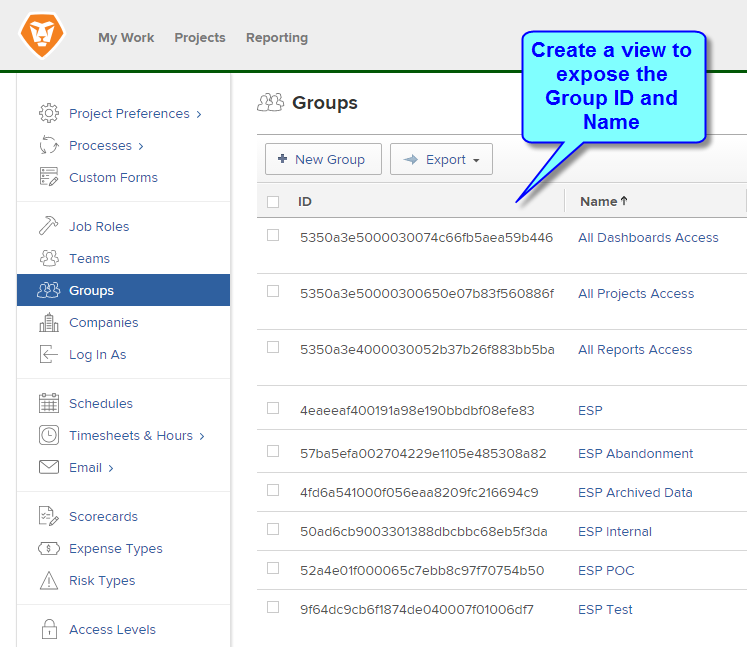
Step 1. Expose the IDs
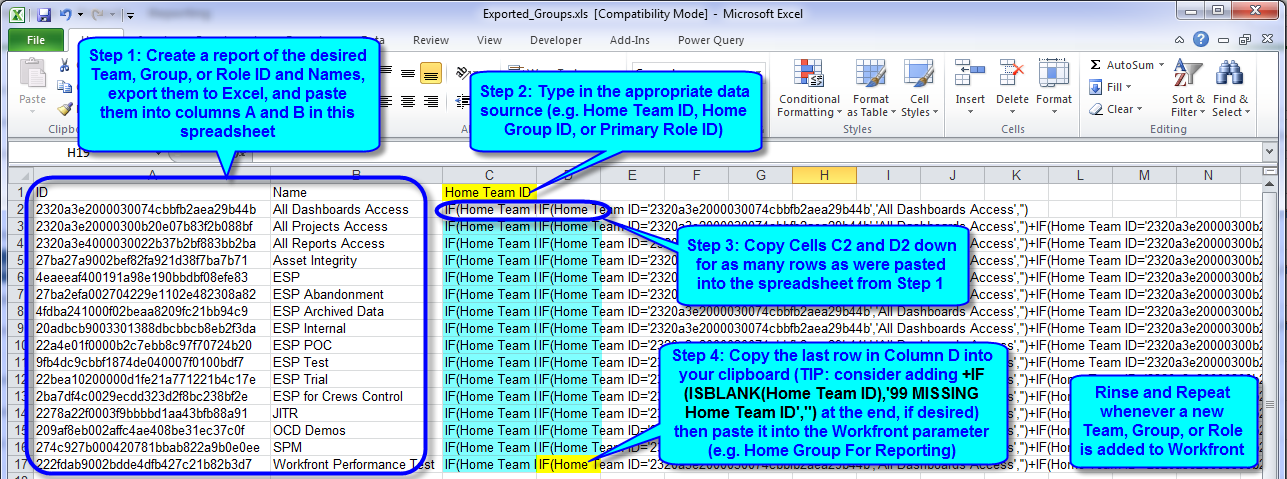
Step 2. Create the formula
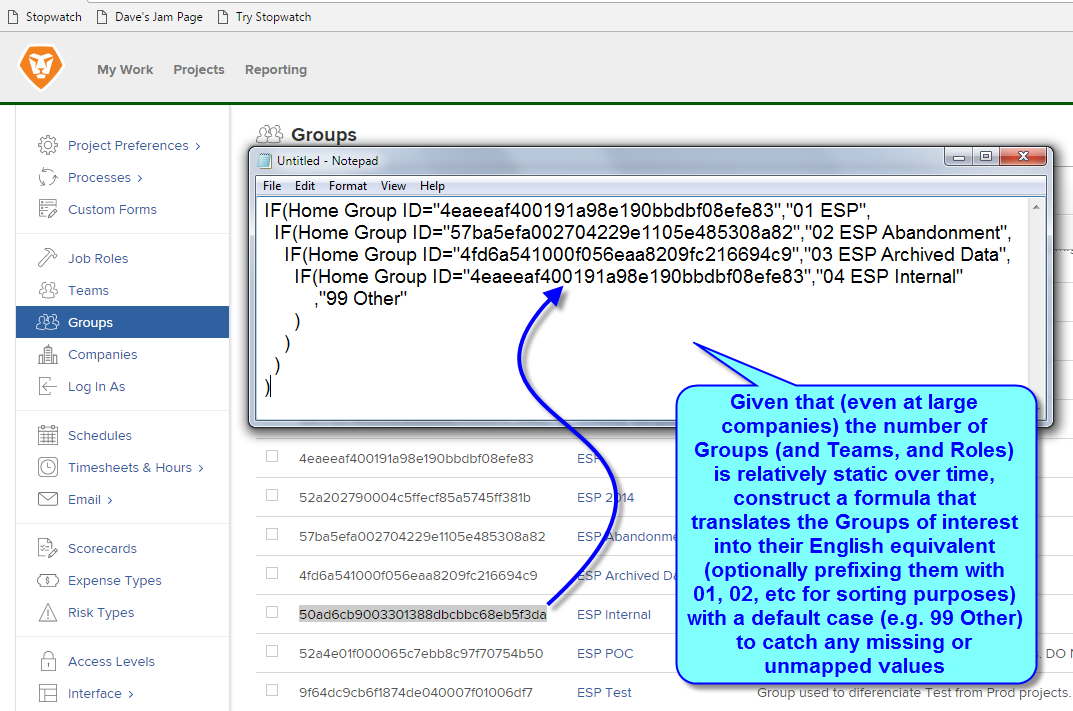
TIP: you could also improve the formula to highlight Users whose Home Group (or Home Team, or Primary Role) are missing, which might also be helpful
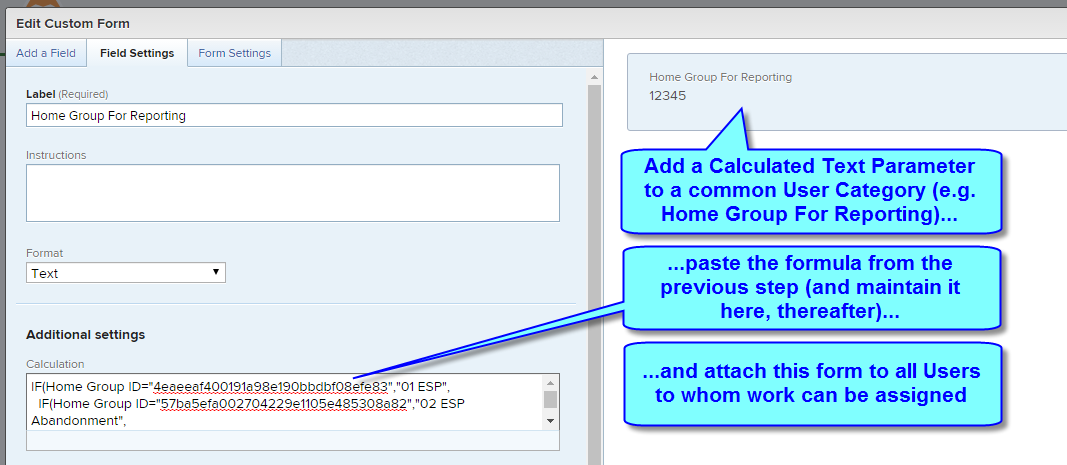
Step 3. Add the parameter and paste the formula
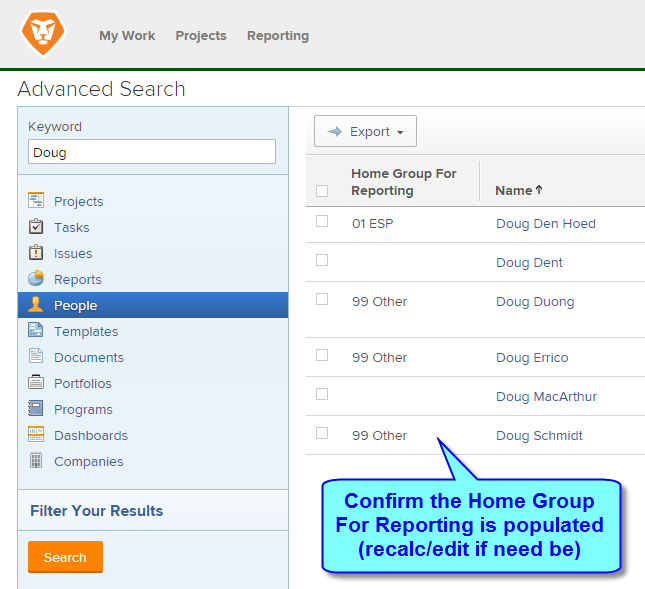
Step 4. Confirm the data
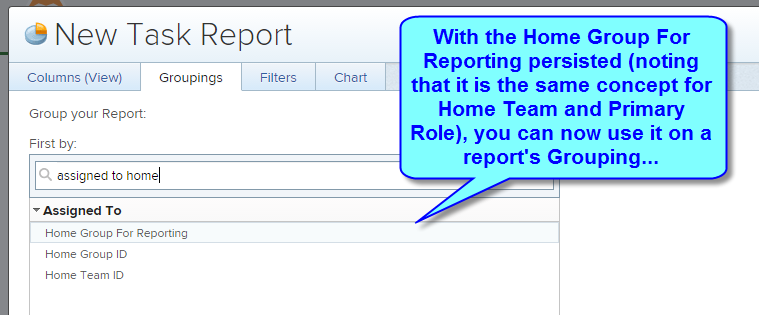
Step 5. Set the report grouping
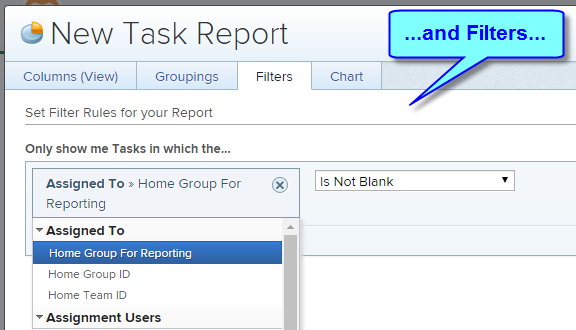
Step 6. Set the report filter
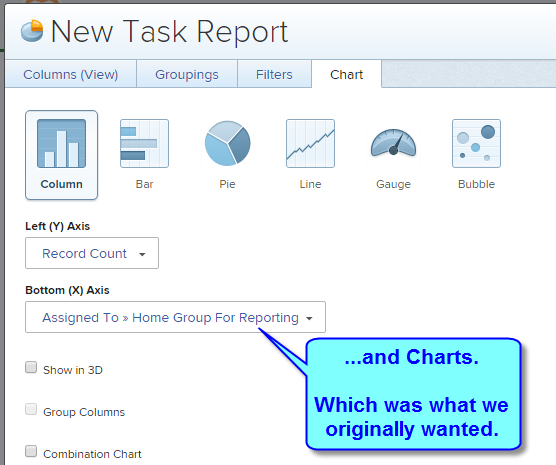
Step 7. Set the report chart
BONUS: Download our Excel Helper File
Final thoughts
As I often say, “It always works out in the end. So if it hasn’t worked out, it isn’t the end.”
Learn more
This is Episode 2 of 17 in our Oldies But Goodies series.